
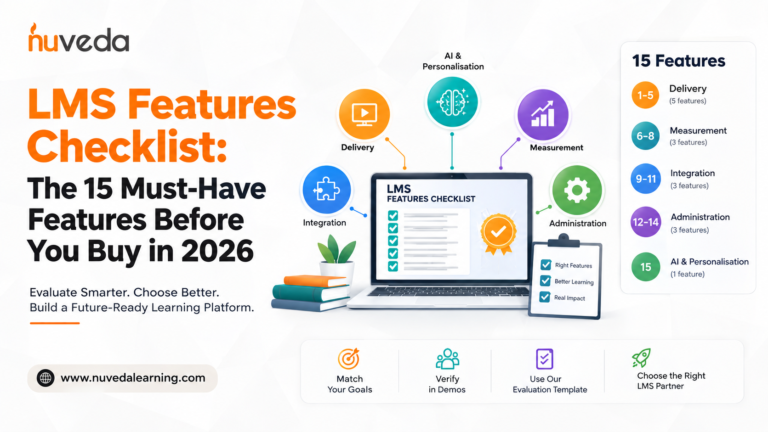
LMS Features Checklist: The 15 Must-Have Features Before You Buy in 2026
There are over 600 LMS vendors on the market in 2026. Every one of them will tell you their platform has the features you need. This checklist tells you what to actually look for, and how to verify it before you sign.
98% of US-based organisations use a learning management system to design, manage, assess, and facilitate employee training programmes. And yet most are actively evaluating replacements. Half of learning leaders and 53% of employees say high workloads leave little room for training even when it's needed, which means the LMS that cannot deliver the right learning at the right moment, in the right format, is not just inconvenient. It is a direct cost to the business.
The problem with most LMS feature lists is that they are written by LMS vendors, and vendors list the features their platform has, not necessarily the features you need. With hundreds of LMS platforms available in 2026, each claiming to be the "best" or "most comprehensive," how do you cut through the marketing noise and identify the features that truly matter for your specific needs?
This checklist is different. It is organised by outcome, what each feature category must produce for your organisation, not by product capability. Every feature is mapped to a business result you should be able to verify in a demo. And at the end, you will find a downloadable evaluation template you can use to score any platform against all 15 features.
How to Use This Checklist
Before evaluating platforms, do three things:
- Define your primary use case. An LMS features checklist works best when it maps tools to your training goals. Separate must-haves from nice-to-haves, that way you evaluate platforms against your use case, not a generic feature count. Compliance training has different feature requirements from leadership development. Frontline worker onboarding has different requirements from sales enablement. Know your priority use case before you open a single vendor demo.
- Know your learner context. A platform that works beautifully for desk-based employees may be entirely inaccessible for a retail associate on the shop floor, a clinical nurse on a ward, or a logistics driver between stops. Learner context determines which features are non-negotiable and which are irrelevant.
- Test features, do not trust feature lists. Every vendor will claim to have every feature on this checklist. The only thing that matters is whether you can see the feature working, in a scenario that matches your real use case, during the demo. For each feature below, a demo verification question is included.
Category 1: Delivery, How Learning Reaches Learners
The first question any LMS must answer: can it actually get learning content to your learners, in the format they can use, at the moment they need it?
Feature 1: Blended learning management
What it is: The ability to manage instructor-led training (ILT), virtual instructor-led training (VILT), and self-paced digital learning in a single platform, with scheduling, attendance tracking, and reporting unified across all three.
Why it matters: A full-featured corporate LMS supports content management, automation, and reporting across multiple delivery formats including video, SCORM packages, and standard documents. Organisations that need separate tools for ILT scheduling, eLearning delivery, and reporting, and then manually reconcile the data, lose both administrative efficiency and the ability to measure blended programme outcomes at Kirkpatrick Level 3 and 4.
The outcome: A manager should be able to see a single learner record showing ILT attendance, eLearning completion, assessment performance, and on-the-job application, not three separate reports from three separate systems.
Demo verification question: "Can you show me a learner's complete journey through a blended programme, the ILT session they attended, the self-paced modules they completed, and their LAP or on-the-job application record, all in one view?"
Feature 2: Mobile-first delivery with offline access
What it is: A full-featured mobile application (iOS and Android) that delivers the complete learning experience on a phone or tablet, including offline access for content consumption and assessment completion in low or no-connectivity environments.
Why it matters: Mobile access is particularly important for frontline, remote, warehouse, healthcare, retail, and field-based employees. Fewer than 15% of retail associates complete desktop-based compliance training. Mobile-first, gamified platforms achieve 80–95% completion with the same content. If your workforce includes any frontline, field-based, or shift-working employees, a platform without genuine offline mobile capability is not fit for purpose.
The outcome: A store associate should be able to complete a product knowledge module on their phone during a shift briefing, without Wi-Fi, and have the completion sync to the LMS automatically when connectivity is restored.
Demo verification question: "Can you demonstrate offline access on the mobile app, showing content loading without connectivity and syncing when reconnected?"
Feature 3: SCORM compliance
What it is: Native support for SCORM (Sharable Content Object Reference Model) content standards, allowing existing eLearning modules to load and track correctly without rebuilding.
Why it matters: LMS technical requirements include SCORM support for seamless enterprise access and data integrity across learning systems. Your existing eLearning modules should load and track correctly without rebuilding.
The outcome: Your existing content library migrates without rebuilding. Your new learning experiences can track learner behaviour beyond module completion.
Demo verification question: "Can you show me how an existing SCORM module is uploaded, completed, and tracked in your reporting dashboard?"
Feature 4: Microlearning and content modularity
What it is: The ability to deliver learning content in short, discrete, standalone modules, typically 3–10 minutes, that can be combined into learning paths, deployed as standalone refreshers, or surfaced as just-in-time performance support.
Why it matters: Half of learning leaders and 53% of employees say high workloads leave little room for training even when it's needed. Long-format courses delivered to time-poor employees produce low engagement. Microlearning is now a standard requirement, not an advanced one.
The outcome: An L&D team should be able to deploy a 5-minute product knowledge update to 1,000 retail associates on a Monday morning and see completion data before Tuesday's shift briefing.
Demo verification question: "Show me how you would build and deploy a 5-minute microlearning module to a specific cohort, with a completion deadline and automatic reminder."
Feature 5: Gamification and learner engagement mechanics
What it is: Points, badges, leaderboards, learning streaks, and progress visualisation, built into the learner interface to drive voluntary engagement.
Why it matters: Gamification and automation help small teams do more with less, and for enterprise organisations, engagement mechanics drive completion rates without requiring manager enforcement for every training cycle.
Demo verification question: "Show me the learner's gamification dashboard, what they see when they log in, and how the points/badges system connects to specific learning behaviours."
Category 2: Measurement, How You Prove It Worked
This is the category where most LMS platforms fail, and where the difference between a content-delivery system and a genuine learning platform is revealed.
Feature 6: Kirkpatrick Level 3 and 4 measurement
What it is: Built-in tools to measure whether learning changed on-the-job behaviour (Kirkpatrick Level 3) and whether it produced measurable business outcomes (Level 4).
Why it matters: The Kirkpatrick Model changes the entire conversation about training ROI. Tracking behavioural change and business results requires learning data infrastructure that many organisations do not have. If your LMS cannot produce Level 3 evidence, you cannot answer the question your CFO is asking.
The outcome: L&D leaders should be able to pull a dashboard showing: completion at Level 2, Learning Action Plan results at Level 3, and correlation with a business metric at Level 4.
Demo verification question: "Can you show me a Kirkpatrick Level 3 report, specifically, how you track whether learners applied what they learned on the job, 30 days after training?"
Feature 7: Learning Action Plans (LAPs)
What it is: A structured tool that asks learners to commit to specific, observable on-the-job actions after training, with manager visibility, completion tracking, and follow-up scheduling built in.
Why it matters: LAPs are the bridge between training completion and behaviour change. Without a structured application mechanism, the gap between learning and doing is left entirely to chance.
The outcome: After completing a leadership module, a manager should have a LAP in their dashboard with three specific actions they have committed to take, and their L&D manager and direct manager should see those commitments.
Demo verification question: "Can you show me how a Learning Action Plan is created, assigned, tracked, and reviewed, and what the manager's view looks like?"
Feature 8: Advanced analytics and skills reporting
What it is: Reporting that goes beyond completion rates, tracking skill proficiency growth over time, identifying skill gaps, correlating learning activity with performance data, and generating role-specific analytics.
Why it matters: Data visibility separates enterprise platforms from basic ones. Comprehensive dashboards provide real-time insights into engagement, skill progress, and compliance.
The outcome: An L&D director should be able to answer the question "What is our organisation's current proficiency level in [skill X]?", not just completion percentages.
Demo verification question: "Generate a report showing skill proficiency change for a cohort of 50 learners across a 90-day period. Show me pre- and post-assessment comparison alongside LAP completion data."
Category 3: Integration, How It Connects to Your Stack
Feature 9: HRMS integration
What it is: Native two-way integration with your Human Resources Management System, synchronising employee records and organisational structure automatically.
Why it matters: Without HRMS integration, new hires do not automatically appear in the LMS, leavers retain access, and L&D administrators spend significant time on data maintenance.
The outcome: When HR adds a new employee, that employee should appear in the LMS within 24 hours, auto-enrolled in the relevant onboarding programme.
Demo verification question: "Walk me through what happens in your system when a new employee record is created in [our HRMS], how quickly does that propagate, and what enrolments are triggered?"
Feature 10: CRM and performance system integration
What it is: Integration with CRM platforms (Salesforce, HubSpot) enabling the LMS to push learning completion data into performance records.
Why it matters: This integration is what makes Kirkpatrick Level 4 measurement possible. If you want to know whether a sales programme improved conversion rates, you need the LMS talking to your CRM.
Demo verification question: "Can you show me an example of how learning completion data is linked to a business performance metric in your reporting?"
Feature 11: Content standards and third-party content library integration
What it is: Compatibility with major content libraries (LinkedIn Learning, Coursera) alongside native SCORM support.
Why it matters: Off-the-shelf content libraries dramatically reduce development time for generic skills, freeing internal capacity for bespoke programme design.
Demo verification question: "Which content libraries are natively integrated? Show me how a learner accesses content within the platform."
Category 4: Administration, How It Runs at Scale
Feature 12: Multi-tenant architecture and white-label capability
What it is: The ability to create and manage multiple independent learning environments within a single LMS instance, each with its own branding, content, and reporting.
Why it matters: Multi-tenancy is essential for training companies, enterprises with separate business units, and franchise networks that need centralised content management with local administration.
The outcome: A training company should be able to manage 20 client organisations in a single login, each client seeing only their own branded portal.
Demo verification question: "Show me how you would set up two separate client environments in the platform. Can client A's admin see client B's data?"
Feature 13: Automated compliance and certification management
What it is: Automated assignment, tracking, and renewal management for mandatory training and professional certifications.
Why it matters: For regulated industries like healthcare, pharma, financial services, and manufacturing, automated compliance tracking is a risk management requirement, not a nice-to-have.
Demo verification question: "Show me what happens when a learner's certification expires, what automated actions are triggered, and what the compliance manager sees."
Feature 14: Role-based access control
What it is: A granular permission system giving different access levels to administrators, department managers, and reporting viewers.
Why it matters: Without granular access control, sensitive learning data is exposed, or L&D teams lose the ability to delegate administration efficiently.
Demo verification question: "Show me the permission levels available and demonstrate what a department manager sees vs what an L&D administrator sees."
Category 5: AI and Personalisation, How It Adapts
Feature 15: Adaptive learning paths and AI-powered personalisation
What it is: The ability for the platform to dynamically adjust a learner's content sequence, pacing, and recommended resources based on their individual performance data, in real time.
Why it matters: The difference between personalisation and a content catalogue is that personalisation responds to what each learner does and knows. Genuine AI capability adjusts the path automatically.
Genuine AI vs AI branding: Ask the vendor: "Show me, in real time, how the system changes a learner's path based on their assessment performance. Not a diagram, show me the learner view changing."
Bonus: AI roleplay and simulation. Platforms like NuCoach.ai deliver a practice layer integrated with the LMS to connect simulation data to the Level 3 framework.
Demo verification question: "Does your platform include AI roleplay or simulation capability? If not, what integration do you support for AI coaching tools?"
The Full 15-Feature Checklist at a Glance
| # | Feature | Category | Priority for your use case |
|---|---|---|---|
| 1 | Blended learning management | Delivery | ⬜ Must-have / ⬜ Nice-to-have |
| 2 | Mobile-first delivery with offline access | Delivery | ⬜ Must-have / ⬜ Nice-to-have |
| 3 | SCORM compliance | Delivery | ⬜ Must-have / ⬜ Nice-to-have |
| 4 | Microlearning and content modularity | Delivery | ⬜ Must-have / ⬜ Nice-to-have |
| 5 | Gamification and engagement mechanics | Delivery | ⬜ Must-have / ⬜ Nice-to-have |
| 6 | Kirkpatrick Level 3 & 4 measurement | Measurement | ⬜ Must-have / ⬜ Nice-to-have |
| 7 | Learning Action Plans (LAPs) | Measurement | ⬜ Must-have / ⬜ Nice-to-have |
| 8 | Advanced analytics and skills reporting | Measurement | ⬜ Must-have / ⬜ Nice-to-have |
| 9 | HRMS integration | Integration | ⬜ Must-have / ⬜ Nice-to-have |
| 10 | CRM & performance system integration | Integration | ⬜ Must-have / ⬜ Nice-to-have |
| 11 | Content library integration | Integration | ⬜ Must-have / ⬜ Nice-to-have |
| 12 | Multi-tenant & white-label capability | Administration | ⬜ Must-have / ⬜ Nice-to-have |
| 13 | Automated compliance tracking | Administration | ⬜ Must-have / ⬜ Nice-to-have |
| 14 | Role-based access control | Administration | ⬜ Must-have / ⬜ Nice-to-have |
| 15 | Adaptive learning & AI personalisation | AI | ⬜ Must-have / ⬜ Nice-to-have |
How to Run a Vendor Evaluation Using This Checklist
- Step 1: Score your priorities before demos begin. Mark each of the 15 features as Must-Have, Nice-to-Have, or Not Needed based on your primary use case.
- Step 2: Send the checklist to vendors before the demo. Ask each to self-assess and use the demo to verify every claim.
- Step 3: Score each vendor live. Use the checklist to drive the agenda and score as: Verified, Claimed but unverified, or Absent.
- Step 4: Weight must-have features at 2x. Weight non-negotiables double to prevent a strong general demo from obscuring vital gaps.
- Step 5: Run a pilot. A real pilot surfaces integration gaps and UX issues that a demo environment won't reveal.
How CALF™ Delivers All 15 Features
CALF™ (Continuous Application of Learning Feedback) is NuVeda Learning's AI-powered LXP/LMS, built specifically to deliver on the 15 features in this checklist.
- Delivery: Manages full blended learning journeys (ILT, VILT, digital) flexibly. Mobile app for iOS and Android with offline access. SCORM support, microlearning readiness, and gamification built-in.
- Measurement: Built-in Kirkpatrick Level 3 and 4 measurement designed into the platform architecture. Learning Action Plans native to every programme with pre/post proficiency comparison.
- Integration: HRMS and CRM integration, SCORM standards, and API-first architecture.
- Administration: Full multi-tenant architecture used by global training companies, granular access control, and automated compliance tracking.
- AI: Adaptive paths based on Nu360 feedback assessments, AI personalisation, and NuCoach.ai providing contextual practice scenarios.
Frequently Asked Questions
They fall into five categories: Delivery, Measurement, Integration, Administration, and AI. The single most important feature most platforms lack is Kirkpatrick Level 3 measurement: evidence that training changed behaviour.
The differences come down to scale (thousands vs hundreds of users), security (SSO, GDPR compliance), multi-tenancy, integration depth, and analytics sophistication.
Automated certification tracking with expiry alerts, audit-ready records, role-based assignment, acknowledgment workflows, and industry-specific regulatory mapping.
A full-featured mobile app (not just a responsive site), offline content access, microlearning formats, push notifications, and completion syncing upon reconnection.
The Bottom Line
Choosing an LMS is a multi-year commitment. The wrong platform will cost you in licence fees, opportunity costs of failed behaviour change, and lost credibility. Use this checklist to evaluate platforms against outcomes, demand live demonstrations of must-have features, and weight Kirkpatrick Level 3 measurement heavily. If your LMS cannot prove that training changed how people work, it cannot justify the spend.