
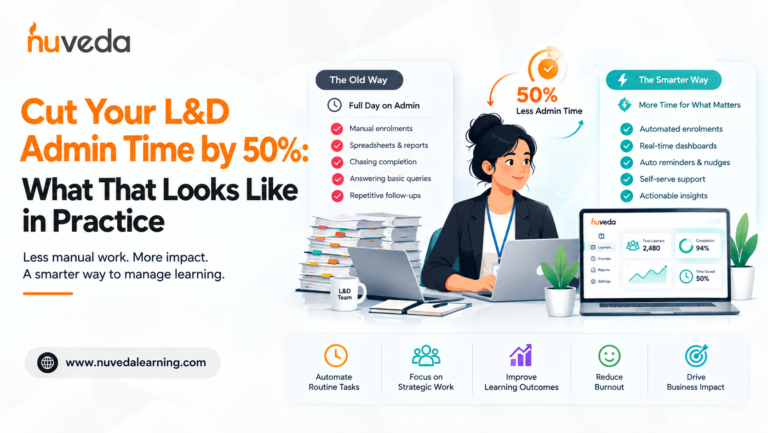
Cut Your L&D Admin Time by 50%: What That Looks Like in Practice
If you are a one- or two-person L&D team, you already know the feeling. It is 4pm on Thursday and you have spent the day on things that had nothing to do with learning.
You updated a spreadsheet with the week's completion data. You manually enrolled 23 new joiners who appeared in the HRMS but not in the LMS. You chased three managers for sign-off on a training request that was submitted ten days ago. You built a compliance report that will be out of date by the time the leadership meeting happens on Monday. You answered seven emails from employees who cannot find the module they need to complete.
You did not design a single piece of learning. You did not review a programme's effectiveness. You did not have a strategic conversation with a business leader.
Modern L&D stacks still rely on spreadsheets, emails, and manual follow-ups, and it is costing L&D teams nearly a third of their professional time. Nearly 22% of organisations still depend on manual methods, including spreadsheets or paper-based processes, for learning and certification management.
That is the admin tax. It is the gap between what an L&D function is supposed to do and what it actually spends its time doing. And in most organisations, it is not a small gap. It is the majority of the week.
This guide is about closing it. Not in theory, in practice. Task by task, process by process. What the admin tax actually consists of, what automating it looks like in a real L&D operation, and what happens to a team's capacity when those hours come back.
Table of Contents
- 1. The L&D Admin Tax: What It Actually Consists Of
- 2. Where the Hours Go: The 7 Biggest Admin Time Drains
- 3. What 50% Admin Reduction Actually Looks Like
- 4. The Process-By-Process Automation Playbook
- 5. What Happens When the Hours Come Back
- 6. The Organisation Sizes Where This Matters Most
- 7. What to Look for in an LMS That Actually Reduces Admin
- 8. How CALF™ Reduces L&D Admin, In Specific Terms
- 9. Frequently Asked Questions
1. The L&D Admin Tax: What It Actually Consists Of
Administrative tasks quickly pile up, often consuming far more time and energy than anticipated. From manually scheduling sessions and tracking attendance to managing content updates and coordinating logistics, these behind-the-scenes activities can be surprisingly time-intensive, leaving L&D professionals bogged down in repetitive, manual, time-consuming tasks instead of focusing on big-picture strategy.
The admin tax is not a single large task. It is fifty small ones that each feel manageable individually and collectively consume the week. The problem with small tasks is that they resist prioritisation, they feel urgent even when they are not important. And because each one only takes fifteen minutes, the cumulative cost is invisible until you map it.
Research from EY has quantified the cost of a single manual data entry task at approximately $4.86. In the context of L&D, this drag manifests as time lost to enrolment management, completion tracking, and reporting, and it acts as a silent anchor on the function's productivity.
For an L&D administrator who processes 50 manual data interactions per day, a conservative estimate in a mid-size organisation, that is $243 in labour cost per day, or approximately $63,000 per year, being spent on tasks that a well-configured LMS would handle automatically. That number is not the platform cost. It is the cost of not having the right one.
2. Where the Hours Go: The 7 Biggest Admin Time Drains
Before designing a solution, it helps to name the problem precisely. These are the seven tasks that consistently consume the most L&D administrator time, and that are most readily automated.
Time drain 1: Manual enrolment and user management
Every time a new employee joins, the L&D administrator receives a notification (if they are lucky) or finds out later (if they are not), manually creates the user in the LMS, assigns the appropriate learning path for their role, and follows up to confirm access. When someone changes roles, the process repeats. When someone leaves, their account needs to be deprovisioned.
In a 500-person organisation with 15% annual attrition, that is approximately 75 new joiners per year, 50+ role changes, and 75 leavers, each requiring manual intervention. An organisation of 4,500 employees moved from fully manual compliance tracking onto an automated platform and itemised the savings across four categories: supervisor time to assign training paths, employee time to monitor assigned training, employee time to locate and launch training, and employee time to locate and enrol in classroom training. The savings across all four categories were substantial, because the cost of each had never previously been made visible.
Time drain 2: Completion chasing and reminder management
Mandatory training deadlines approach. Completion rates are below target. The L&D administrator begins sending reminder emails, manually, one cohort at a time, or individually when a manager asks for a specific employee's status. Each reminder campaign requires: identifying who has not completed, drafting the message, choosing the send list, tracking responses, and following up on non-respondents.
L&D burnout is most often driven by a mismatch between the strategic work people expect to do and the volume of manual admin that actually fills their week, chasing sign-off, fielding access queries, reconciling systems that don't talk to each other.
Time drain 3: Report building
Leadership wants a monthly training activity report. The compliance team wants a certification status report before next week's audit preparation meeting. A department head wants to know how many of their team have completed the new product training. Each of these reports requires pulling data from the LMS, cross-referencing with HRMS data, formatting in Excel or PowerPoint, and distributing manually. Then updating again when someone asks for a different cut of the same data.
Instead of chasing spreadsheets or manually updating records, LMS reporting automates the process. It saves hours of admin time each week. The irony: the report that takes four hours to build contains information the platform already has, it just cannot surface it in a useful format without significant manual effort.
Time drain 4: Training request intake and approval routing
An employee or their manager submits a training request. It arrives by email. The L&D administrator logs it in a spreadsheet, identifies the appropriate programme, checks availability (for ILT sessions), routes it for manager or budget approval, follows up when the approval goes quiet, and manually confirms the enrolment once approved.
A no-code workflow replaces the entire sequence with a structured digital form: the manager submits the request, it routes automatically for approval, the approval triggers the LMS enrolment, and all parties receive confirmation, without a single manual step. In most organisations, this automation does not yet exist. Each request is a separate mini-project.
Time drain 5: ILT logistics management
Instructor-led training requires: session scheduling, venue booking, calendar invites, pre-work distribution, attendance list management, sign-in sheet creation, post-session feedback distribution, attendance recording, and certificate generation. If a session is cancelled or rescheduled, every one of those steps repeats.
For an L&D function running twenty ILT sessions per year, this logistics overhead consumes a meaningful proportion of the L&D calendar, for work that adds no learning value.
Time drain 6: Certification expiry tracking
Compliance-critical certifications have expiry dates. Someone needs to know when each one expires, notify the employee and their manager in advance, initiate re-enrolment, confirm completion, and update the record. Tracking learner progress, completions, or certifications through spreadsheets or paper-based systems creates delays and outdated records, making it harder for teams to make timely decisions. In organisations with hundreds of regulated employees and dozens of certification types, tracking expiry manually is a full-time job that nobody has the time to do properly.
Time drain 7: Access and navigation support
Every week, a proportion of learners contact the L&D team or helpdesk because they cannot log in, cannot find the course they need to complete, cannot access a certificate they have already earned, or do not understand why they have been enrolled in something. Each query is individually small and collectively significant. A well-configured LMS can automate enrolment, tracking, reminders, and reporting, removing a large share of the repetitive manual tasks that build up L&D workload, and significantly reducing access-query volume through clearer navigation and better SSO configuration.
3. What 50% Admin Reduction Actually Looks Like
Fifty percent is not a headline. It is a specific, achievable target that multiple organisations have documented when moving from manual processes to automated LMS workflows.
When an organisation replaces shadow systems, tracking spreadsheets, and departmental point tools with a single platform with one source of truth, the manual work of getting the right training to the right people, and proving it happened, collapses into automated rule-based workflows.
Here is what 50% admin reduction looks like in specific, measurable terms for a mid-size organisation:
Before automation, a typical L&D administrator week (40 hours):
| Task | Hours per week |
|---|---|
| Manual enrolments and user updates | 6 hours |
| Completion chasing and reminder emails | 5 hours |
| Report building and distribution | 5 hours |
| Training request intake and approval routing | 4 hours |
| ILT logistics management | 4 hours |
| Certification expiry tracking | 4 hours |
| Access and navigation support queries | 4 hours |
| Total admin time | 32 hours |
| Strategic L&D work (design, evaluation, stakeholder) | 8 hours |
After automation, the same week:
| Task | Hours per week |
|---|---|
| Exception handling for automated enrolments | 1 hour |
| Reviewing automated completion dashboards | 1 hour |
| Generating and reviewing automated reports | 1 hour |
| Managing escalated training requests | 1 hour |
| ILT content and facilitation quality | 2 hours |
| Certification exception handling | 1 hour |
| Complex access support (SSO failures etc.) | 1 hour |
| Total admin time | 8 hours |
| Strategic L&D work (design, evaluation, stakeholder) | 32 hours |
That is not a theoretical 50% reduction. That is 24 hours per week returned to strategic work, in a single L&D role. For a team of three, it is 72 hours per week. Applied across a year, it is the equivalent of adding 1.8 full-time strategic L&D practitioners without hiring anyone.
4. The Process-By-Process Automation Playbook
Each of the seven time drains has a specific automation solution. Here is what each one looks like when it is working correctly.
Automated enrolment via HRMS integration
When the HRMS is the source of truth and the LMS reads from it continuously, enrolment becomes a rule execution rather than a manual task. The rule: when a new employee record appears in role X, enrol them in learning path Y. When a role changes from A to B, remove path A and add path B. When an employee is marked as a leaver, deprovision their account and archive their records.
The L&D administrator's job shifts from doing enrolments to maintaining the rules that govern them. One well-designed rule set, reviewed quarterly, replaces thousands of manual enrolment actions per year.
Automated reminders with escalation logic
A configured reminder workflow sends the first completion reminder at 14 days before the deadline, a second at 7 days, a third at 3 days, and a final escalation to the learner's manager at 1 day. None of these require manual action. The administrator monitors the completion dashboard rather than managing the reminder process.
Escalation logic is particularly important for mandatory compliance training: when a learner fails to complete despite automated reminders, the system escalates to the manager, with a specific prompt for action, rather than waiting for the L&D administrator to identify the gap and intervene manually.
Self-service reporting dashboards
Reports that currently take hours to build should be available on demand, in under two minutes, for anyone with appropriate access. A compliance manager should be able to run a real-time certification status report for their department without contacting L&D. A line manager should be able to see their team's training completion status on a dashboard that updates automatically. Leadership should receive a monthly summary report delivered by the system, not assembled by an administrator.
The L&D administrator's role shifts from report builder to report interpreter, adding commentary and context to the data rather than producing it.
Structured digital training request workflow
A simple digital form replaces the email-based training request process. The form captures: who is requesting, what training is needed, the business rationale, the manager's name for approval routing, and the timing requirement. Submission triggers automatic routing to the approving manager, who approves or declines via a single click. Approval automatically triggers LMS enrolment and learner notification. The L&D administrator sees a dashboard of all requests, their status, and any that require manual intervention, without managing the workflow personally.
Automated ILT scheduling and post-session processing
A self-service ILT booking tool allows learners to browse available sessions, register directly, receive automatic calendar invites and pre-work, and join a waiting list when sessions are full. Post-session, attendance is recorded from the session data rather than a manually reconciled sign-in sheet. Completion certificates are generated and distributed automatically. Feedback surveys are triggered and collected. The ILT event exists in the LMS as a managed workflow, not a manual logistics exercise.
Automated certification lifecycle management
Every certification in the system has an expiry period. The system sends automated alerts at 90, 60, and 30 days before expiry, to the learner and their manager. Lapsed certifications trigger automatic re-enrolment. A live dashboard shows all certifications expiring in the next 30, 60, and 90 days, filterable by department and role. The L&D administrator's job is to review exceptions, certifications that have lapsed despite reminders, rather than managing the entire lifecycle manually.
Improved navigation and SSO, reducing query volume
A well-configured SSO means learners access the platform with their existing credentials, eliminating the login friction that generates a large proportion of access queries. Clear, role-appropriate learning paths mean learners can find their mandatory training without navigating a content catalogue. Automated enrolment notification tells learners what they are enrolled in and why, reducing "why am I in this?" queries.
5. What Happens When the Hours Come Back
The case for reducing L&D admin is not just efficiency. It is strategic capacity. When 24 hours per week return to an L&D administrator, the question is what happens to them.
In most organisations, those hours do not disappear into other administration. They move into the work that L&D was hired to do and has never had enough time for:
- Programme design and evaluation. The learning experiences that L&D teams design when they have time are materially better than the ones they produce under the pressure of a full admin week. Content quality improves. Learning journeys are designed rather than assembled. Kirkpatrick Level 3 evaluation, the evidence of behaviour change on the job, becomes possible when there is time to design the LAPs, manager observation frameworks, and follow-up structures it requires.
- Stakeholder engagement. The most valuable thing an L&D leader can do is sit in the room where business decisions are being made and ensure the people development implications are considered. That requires time and presence. It requires arriving prepared to a conversation with a department head, not arriving directly from a morning of completion chasing.
- Analytics and insight. When reports are generated automatically, the L&D function gains something it almost never has with manual reporting: time to actually read them, interpret them, and act on what they say. The difference between a function that produces training metrics and one that understands its own impact is frequently the difference between a team that justifies its budget and one that defends it.
- Innovation. In a 2026 L&D landscape where AI-powered learning personalisation, AI roleplay tools, and skills-based development frameworks are becoming the new baseline, the teams that can experiment, pilot, evaluate, and adopt new approaches are the ones with strategic capacity to do so. That capacity comes from reclaiming the hours that manual administration currently consumes.
6. The Organisation Sizes Where This Matters Most
The admin tax exists at every scale, but its impact is most acute, and the return on automation investment is fastest, in specific organisational contexts.
Small L&D teams in mid-size organisations (200–1,000 employees)
This is where the admin tax is most damaging. A single L&D professional managing training for 500 employees has neither the capacity to do everything manually nor the budget to hire additional headcount. Automation is not a nice-to-have, it is the only way the function is sustainable. A well-configured LMS can automate enrolment, tracking, reminders, and reporting, removing a large share of the repetitive manual tasks that build up L&D workload. For a one-person L&D team, this is the difference between a function that delivers value and one that spends its entire week on administration.
High-volume compliance environments (BFSI, pharma, healthcare, retail)
Where the regulatory stakes are high and the learner population turns over frequently, manual administration is not just inefficient, it creates compliance exposure. A pharmaceutical company with 500 field staff, each requiring GxP-compliant training with annual renewal, cannot manage certification tracking manually at any acceptable risk level. Automation is the compliance infrastructure, not the productivity bonus.
Training companies managing multiple client environments
For LMS for training companies with white-label client portals, the admin burden multiplies with each new client. Manual enrolment, reporting, and certification tracking across 20 client environments is not a staffing problem that more administrators solve. It is a systems problem that automation solves, by making each client environment self-managing rather than requiring manual intervention.
7. What to Look for in an LMS That Actually Reduces Admin
Not every LMS reduces admin. Some create as much as they eliminate, through complex configuration requirements, fragile integrations, and reporting tools that require exporting to Excel before they are useful.
Here is what genuine admin reduction requires:
- HRMS integration that is real-time, not weekly batch. A weekly sync means new joiners can spend a week in a regulated role before their mandatory training is assigned. Real-time or daily sync eliminates the gap. Ask vendors specifically: what is the sync frequency, and what happens when an employee changes roles mid-day?
- Rule-based automated enrolment. The system should be able to execute: "when a user with job title X in department Y joins, enrol them in paths A, B, and C." This rule should be configurable by an L&D administrator, not require IT involvement each time it needs updating.
- Automated reminder workflows with escalation. Reminders should be configurable by deadline proximity, learner status, and escalation path, not manually sent. The administrator should monitor the process, not execute it.
- Self-service reporting for all stakeholders. Managers should be able to access their team's learning data without asking L&D. Compliance officers should be able to run certification reports without requesting them. The training management system should surface data to the people who need it, not route it through an administrator.
- Certification lifecycle management with automated expiry tracking. The system should know when every certification expires, send the alerts, trigger the re-enrolment, and present the live coverage dashboard, without manual calendar management or spreadsheet tracking.
- SSO as standard. Single sign-on is not a premium feature. It is the minimum configuration required to reduce access query volume to a manageable level. Any platform that requires learners to maintain a separate login credential will generate a steady stream of access support queries regardless of how good everything else is.
8. How CALF™ Reduces L&D Admin, In Specific Terms
CALF™ (Continuous Application of Learning Feedback) by NuVeda Learning was designed for L&D functions that cannot afford to spend their week on administration. The platform was built for teams where a single administrator is responsible for a large, distributed learner population in a compliance-intensive environment.
Here is what CALF™ does to each of the seven admin time drains specifically:
- Manual enrolments → automatic via HRMS integration. CALF™ connects to your HRMS so that new joiners are automatically enrolled in their role-specific learning paths from day one. Role changes update learning path assignments automatically. Leaver records are archived without manual action. The administrator manages the enrolment rules, not the individual enrolments.
- Completion chasing → automated reminder and escalation workflows. CALF™ sends configurable automated reminders at defined intervals before mandatory training deadlines, with manager escalation when reminders are not actioned. The administrator monitors completion dashboards rather than managing reminder campaigns.
- Report building → self-service dashboards for every stakeholder. Compliance managers access live certification coverage reports. Line managers see their team's learning status in a role-specific dashboard. Leadership receives automated monthly summaries. Audit reports are generated on demand, formatted for regulatory presentation. The administrator interprets data rather than producing it.
- Training request routing → structured digital workflow. Training requests route automatically from learner to manager to L&D, with approval triggering enrolment. Escalation when approvals stall happens without manual follow-up. The administrator handles exceptions, not the standard workflow.
- ILT logistics → managed within CALF™. ILT sessions are created, scheduled, and managed within the platform. Learner registration, calendar invites, attendance, post-session feedback, and certificate generation are handled as an automated workflow. CALF™ manages ILT, self-paced, and blended journeys within a single flexible journey configuration, eliminating the separate logistics overhead for each format.
- Certification expiry → automated lifecycle management. Every certification in CALF™ has a configured expiry period. Alerts are sent automatically. Re-enrolment is triggered automatically when certifications lapse. The live certification coverage dashboard, filterable by role, department, region, and cohort, shows the current state of compliance without any manual data assembly.
- Access queries → reduced by SSO and clear navigation. CALF™'s mobile app for iOS and Android, with a learner interface designed around the learner's own content and their specific role, combined with SSO configuration, reduces access and navigation query volume significantly.
The documented result of CALF™'s automation infrastructure in practice: a mid-size insurance company managing 15,000+ agents across multiple regions moved from manual training tracking to CALF™, and reduced administrative overhead by over 50%, while simultaneously improving certification completion rates and producing audit-ready reporting that had previously required weeks of manual preparation.
That 50% is not a marketing claim. It is what happens when seven categories of manual process are replaced by seven automated workflows, and an L&D function is freed to do what it was hired to do.
9. Frequently Asked Questions
Modern L&D teams are losing nearly a third of their professional time to operational administration, tasks like manual enrolment management, completion tracking, compliance reporting, and chasing sign-offs that do not require L&D expertise but cannot be easily delegated. In smaller L&D functions supporting large learner populations, that proportion is frequently higher.
The admin tax is the hidden cost of manual L&D processes, the time, labour cost, and strategic capacity consumed by tasks that a well-configured LMS would handle automatically. It includes manual enrolment management, completion chasing, report building, training request routing, ILT logistics, certification expiry tracking, and learner access support. The cumulative cost is typically invisible until it is mapped explicitly.
The highest-return automations in L&D are: HRMS-triggered automatic enrolment (eliminates the most recurring manual task); automated reminder workflows with escalation (eliminates completion chasing); self-service reporting dashboards (eliminates report building); and automated certification expiry management (eliminates the most compliance-critical manual process). All four are available in a well-configured enterprise LMS.
Map your team's week task by task for one representative week. Record every task, its duration, and whether it required L&D expertise or could theoretically be automated. Most L&D functions are surprised by the results, the proportion of the week spent on automatable administration is typically 50–70% for teams managing large learner populations without strong LMS automation.
The ROI calculation has two components: the direct labour cost of manual administration (number of hours per week × hourly cost of L&D administrator time × 52 weeks); and the indirect value of strategic capacity recovered (what does the L&D function produce when those hours are redirected, better programme design, improved Kirkpatrick Level 3 outcomes, stronger stakeholder relationships?). For most mid-size organisations, the direct labour cost saving alone exceeds the annual LMS investment within 18 months.
When the LMS connects to the HRMS as its source of truth, every HR event, new joiner, role change, leaver, automatically triggers the appropriate action in the LMS. New joiners are enrolled in their role's mandatory training on day one. Role changes update learning path assignments without manual intervention. Leavers are deprovisioned and their records are archived. The L&D administrator manages the rules that govern these actions rather than executing each action individually.
The Bottom Line
The 50% figure is achievable. It is not a stretch target or a vendor aspiration, it is what happens when the seven biggest sources of manual L&D administration are replaced by automated workflows, HRMS integration, and self-service reporting.
The most immediate benefit of reducing administrative burdens is the amount of time saved. With automated scheduling, content management, and data tracking, L&D teams can redirect hours previously spent on manual tasks to more strategic efforts.
The question is not whether automation saves time. It does, and the research, the documented enterprise case studies, and the arithmetic of $4.86 per manual data task all confirm it. The question is whether the time saved is deployed into the strategic L&D work that produces measurable business outcomes, or absorbed back into an ever-expanding administrative backlog.
The right enterprise LMS does not just reduce the admin. It makes the strategic work visible, fundable, and provable, because when the reporting is automated, the data that justifies strategic L&D investment is always current, always accessible, and always one click away from the CFO who is asking what the training budget is actually delivering.
Ready to see what your L&D function looks like when the administration runs itself?
Book a free 30-minute CALF™ demo and we will show you the automation workflows, the self-service dashboards, and the HRMS integration that give you the week back.